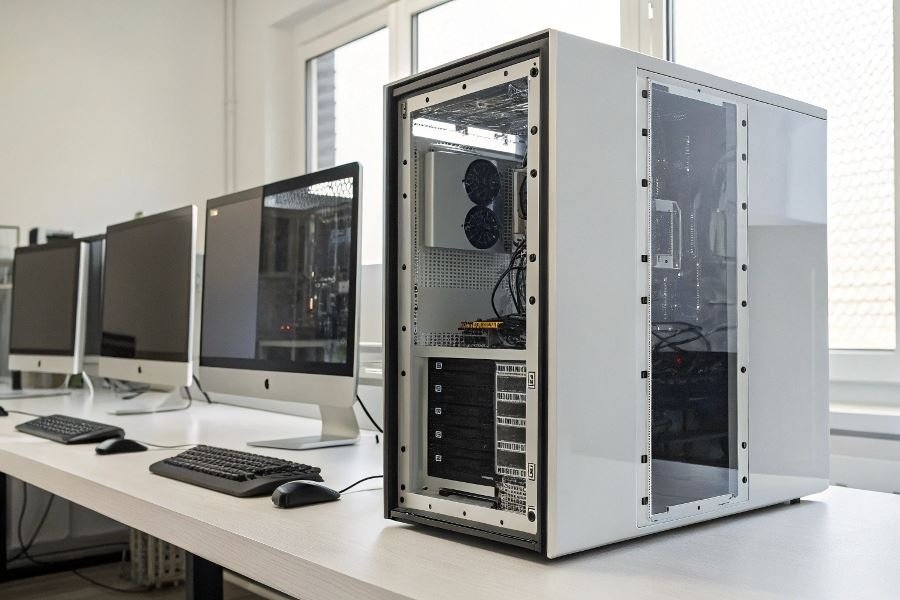
Your desk is shrinking, but your computing needs are expanding. Sound familiar? As urban living spaces become more condensed and remote work continues to reshape our home environments, the demand for powerful computing solutions that don’t dominate your workspace has skyrocketed.
Compact desktop systems represent the perfect marriage of performance and spatial efficiency. These aren’t just smaller versions of traditional towers—they’re thoughtfully engineered machines designed to deliver substantial computing power while respecting your limited square footage. Whether tucked under a monitor, mounted behind a display, or nestled discreetly on a corner shelf, these systems prove that powerful computing doesn’t require sacrificing precious desk real estate.
Finding your perfect space-saving solution
When evaluating compact systems, look beyond mere dimensions. Consider thermal management—smaller cases must work harder to dissipate heat. Expansion capabilities matter too; some mini PCs offer surprising upgradeability despite their diminutive footprint. And don’t overlook port placement—a well-designed compact system positions connections for easy access even in tight installations.
Beyond the space advantage
The benefits extend far beyond just saving space:
- Energy efficiency: Compact systems typically consume significantly less power than their full-sized counterparts, reducing both your carbon footprint and utility bills.
- Portability: Need to reconfigure your workspace or move between locations? A system weighing 2-3 pounds rather than 20+ makes this remarkably simpler.
- Aesthetic appeal: Clean, minimalist designs complement modern workspaces rather than dominating them.
- Reduced noise: Many compact systems utilize passive cooling or highly efficient fan designs, creating a quieter work environment.
The compact revolution isn’t just about making do with less space—it’s about optimizing your environment for both productivity and comfort without compromise.
Top 3 Types of Compact Desktop Systems
Mini PCs pack serious power
Mini PCs and micro-form factor desktops have revolutionized what’s possible in tight spaces. These diminutive powerhouses—often smaller than a hardcover book—deliver remarkable performance despite their size constraints. The Intel NUC series exemplifies this category, offering enterprise-grade processing in a 4×4-inch footprint. Similarly, the Apple Mac Mini with M2 chips demonstrates how compact desktop systems for limited space can rival traditional towers in performance while consuming a fraction of the desk real estate.
What makes these systems particularly compelling is their versatility. Many feature extensive connectivity options including Thunderbolt ports, multiple USB connections, and support for dual 4K displays. The Lenovo ThinkCentre Tiny series even offers VESA mounting options, allowing you to attach the computer directly to the back of a monitor for a virtually zero-footprint solution.
| Mini PC Model | Processor | Size (inches) | Starting Price |
|---|---|---|---|
| Intel NUC 13 Pro | Intel Core i7 | 4.6 × 4.4 × 1.5 | $749 |
| Mac Mini M2 | Apple M2 | 7.7 × 7.7 × 1.4 | $599 |
| Lenovo ThinkCentre M90q | Intel Core i5 | 7.0 × 7.0 × 1.4 | $849 |
All-in-One systems eliminate cable clutter
All-in-One (AIO) systems represent the ultimate space-saving solution by integrating the computer directly into the monitor housing. The Microsoft Surface Studio stands out with its innovative tilting screen that transforms from traditional desktop mode to a drafting table position. Meanwhile, the HP Envy series offers sleek designs with powerful components hidden behind vibrant displays.
These systems excel in environments where aesthetics matter as much as functionality. With just a single power cable and wireless peripherals, an AIO can transform a cluttered workspace into a minimalist haven. Modern AIOs feature high-resolution displays—often touchscreen-enabled—making them ideal for creative professionals working in confined spaces.
The trade-off comes in upgradability. While some models allow for RAM upgrades, most components remain fixed for the device’s lifespan. However, manufacturers have responded with increasingly powerful base configurations and external expansion options via Thunderbolt ports.
SFF custom builds offer flexibility
Small form factor (SFF) custom builds represent the sweet spot between compact size and customization potential. Cases like the NZXT H1 and Cooler Master NR200 have sparked a renaissance in compact PC building, allowing enthusiasts to create systems under 20 liters in volume that accommodate full-sized graphics cards and liquid cooling solutions.
The beauty of SFF builds lies in their adaptability. Unlike pre-built mini PCs, these systems can be configured with exactly the components you need and upgraded over time. Modern SFF cases support standard mini-ITX and sometimes micro-ATX motherboards, opening access to the latest processors and expansion cards.
What’s particularly impressive is how thermal engineering has evolved to support high-performance components in these confined spaces. Strategic airflow design, specialized low-profile CPU coolers, and innovative case layouts enable enthusiasts to build systems that rival full-sized towers in performance while occupying a fraction of the space.
| SFF Case | Volume (liters) | GPU Clearance | Price |
|---|---|---|---|
| NZXT H1 V2 | 15.6 | 335mm | $399 |
| Cooler Master NR200 | 18.0 | 330mm | $79 |
| Lian Li Dan A4-H2O | 11.0 | 322mm | $159 |
Each of these compact solutions offers unique advantages depending on your specific needs, available space, and performance requirements. Whether you prioritize ultimate space efficiency, aesthetic integration, or customization potential, today’s compact desktop market has evolved to ensure you never need to compromise on computing power, regardless of spatial constraints.
Maximizing Small Spaces with Compact Desktop Systems
The power-to-space equation
Compact desktop systems face a fundamental challenge: delivering substantial computing power while occupying minimal physical space. This balancing act requires thoughtful engineering and strategic compromises. The latest small form factor (SFF) PCs from manufacturers like Intel NUC and Corsair demonstrate remarkable efficiency, packing impressive performance into footprints smaller than a shoebox.
The power density revolution has made significant strides. Modern compact systems can accommodate processors up to Intel Core i9 or AMD Ryzen 9 series, though thermal constraints typically favor the more efficient mid-range options. A well-designed compact system running an i7-13700 or Ryzen 7 7700X can deliver 90% of the performance of their full-sized counterparts while consuming just 40% of the desk space.
Power supply selection becomes critical in these constrained environments. SFX and SFX-L power supplies from brands like Silverstone and Corsair offer 750-850W options with 80+ Gold or Platinum efficiency ratings, providing ample power for high-performance components without excessive heat generation.
Keeping cool under pressure
Thermal management represents perhaps the greatest challenge in compact desktop environments. With components packed tightly together, heat dissipation becomes exponentially more difficult than in traditional towers.
Several innovative cooling approaches have emerged:
| Cooling Solution | Pros | Cons |
|---|---|---|
| Low-profile air coolers | Affordable, reliable, no maintenance | Limited thermal capacity, can be noisy |
| AIO liquid coolers | Excellent thermal performance, compact | More expensive, potential pump failure |
| Custom loop cooling | Maximum cooling potential, aesthetics | Highest cost, complexity, maintenance |
| Vapor chamber technology | Passive cooling, silent operation | Limited to specific pre-built systems |
The Noctua NH-L12S represents the pinnacle of low-profile air cooling, while compact AIO solutions from Corsair and NZXT offer superior thermal performance for higher TDP processors.
Strategic airflow design makes all the difference. Even the most powerful cooling hardware underperforms without proper intake and exhaust pathways. Cases like the Cooler Master NR200P and Lian Li Q58 excel by incorporating mesh panels and multiple fan mounting positions despite their compact dimensions.
Future-ready compact systems
Expansion capability often suffers in compact systems, but thoughtful design can preserve upgrade paths. Modern small form factor motherboards from ASUS and MSI typically offer:
- Two M.2 NVMe slots for high-speed storage
- Two DIMM slots supporting up to 64GB RAM
- One full-size PCIe x16 slot for graphics cards
External expansion deserves serious consideration in space-constrained environments. Thunderbolt 4 and USB4 interfaces provide bandwidth approaching internal PCIe speeds, enabling external GPUs, storage arrays, and docking solutions that can transform a compact system into a workstation-class setup when needed.
Future-proofing compact systems requires prioritizing interfaces over raw specifications. Systems with USB-C/Thunderbolt connectivity, PCIe 4.0/5.0 support, and DDR5 compatibility will maintain relevance longer than those with marginally faster but soon-obsolete components.
The most future-proof compact system isn’t necessarily the most powerful today, but rather the one with the most adaptable foundation for tomorrow’s needs.
Discover the best space-saving computing solutions for tight workspaces. Our guide reviews mini PCs, all-in-ones, and small form factor builds, helping you maximize performance without sacrificing valuable desk space.
Discover the best space-saving computing solutions for tight workspaces. Our guide reviews mini PCs, all-in-ones, and small form factor builds, helping you maximize performance without sacrificing valuable desk space.