Ever picked up a controller and wondered why some connect directly to your computer while others need an interface? That moment of confusion is more common than you think—even among seasoned producers.
The world of music production hardware has evolved dramatically since MIDI was introduced in 1983. Today’s studio setup decisions involve navigating a landscape where traditional MIDI controllers coexist with USB alternatives, each offering distinct advantages for different production workflows.
Understanding the fundamental difference comes down to communication protocols. USB controllers connect directly to your computer, handling both power and data through a single cable. They’re essentially plug-and-play devices that don’t require additional hardware. MIDI controllers, meanwhile, speak the language that’s been the backbone of electronic music for decades—they output MIDI signals that need to be translated via an interface before reaching your computer.
“The controller you choose isn’t just about features—it’s about how it integrates with your existing workflow and future expansion plans.”
The current technology landscape offers unprecedented options. Modern USB controllers now incorporate high-resolution faders, pressure-sensitive pads, and aftertouch capabilities that were once exclusive to premium MIDI equipment. Meanwhile, traditional MIDI controllers have evolved to offer greater compatibility with contemporary production environments while maintaining their renowned reliability and precision.
When comparing these technologies for your studio, consider three critical factors:
- Latency requirements – MIDI controllers often edge out USB in ultra-low latency applications
- Integration needs – How will the controller connect with your existing gear?
- Expansion plans – USB simplifies small setups, while MIDI offers greater flexibility for complex studios
The choice ultimately depends on your specific production style, existing equipment, and future studio aspirations.
The Technical Battleground: USB vs MIDI Controllers
When setting up a professional studio, the controller you choose becomes your primary interface with your musical ideas. The debate between USB and MIDI controllers isn’t just about cables—it’s about workflow, reliability, and creative potential. Let’s dive into the technical specifications that separate these two approaches to music production.
Connectivity That Makes or Breaks Your Workflow
Modern Digital Audio Workstations (DAWs) like Ableton Live, Logic Pro, and FL Studio have transformed how we approach music creation. When comparing USB and MIDI controllers for your studio setup, connectivity becomes the foundation of your entire production ecosystem.
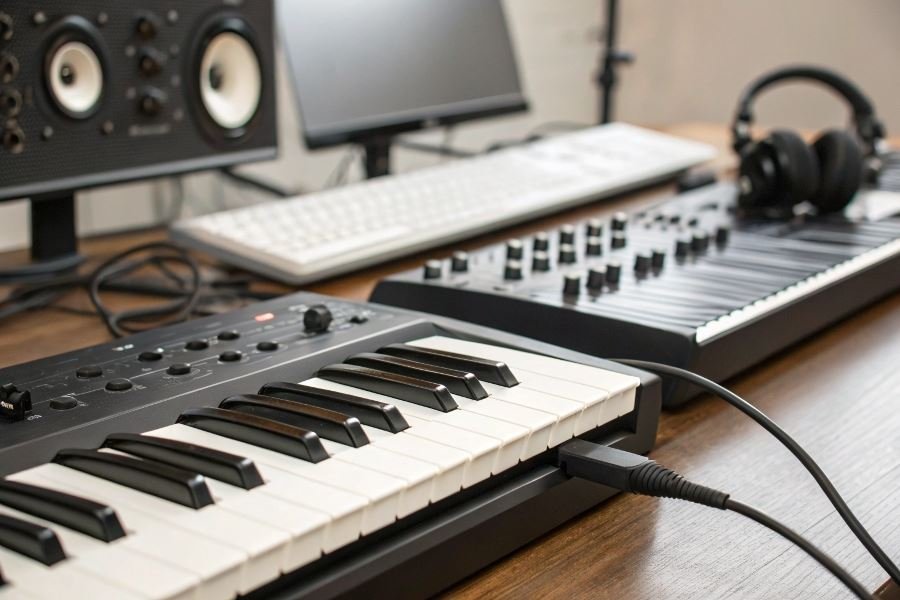
USB controllers offer plug-and-play simplicity that’s hard to beat. Most connect directly to your computer with a single cable handling both data and power. The Novation Launchkey series exemplifies this approach, with class-compliant drivers that work instantly with most DAWs.
MIDI controllers with traditional 5-pin DIN connections require additional hardware—typically an audio interface with MIDI I/O—but offer distinct advantages in complex setups.
| Controller Type | Connection Method | Additional Hardware Needed | Multi-Device Support |
|---|---|---|---|
| USB | Direct USB to computer | None | Limited by USB ports |
| MIDI (5-pin) | Via MIDI interface | Audio interface or MIDI interface | Extensive (chain multiple devices) |
| Hybrid | Both USB and 5-pin | Optional | Flexible |
The Latency Question: Milliseconds Matter
Latency—the delay between pressing a key and hearing the sound—can make or break a performance. This is where the technical differences between USB and MIDI interfaces become critical.
USB controllers typically introduce 5-10ms of latency in optimal conditions. However, this can increase significantly on congested USB buses or with processor-intensive projects. The Arturia KeyLab series mitigates this with high-speed USB implementations, but physics remains undefeated.
Traditional MIDI controllers connected via 5-pin DIN can actually introduce slightly more baseline latency (approximately 1ms per 10 feet of cable). However—and this is crucial—this latency remains consistent regardless of CPU load or USB traffic.
Buffer settings comparison:
| Buffer Size | USB Controller Latency | MIDI Controller Latency |
|---|---|---|
| 64 samples | 5-8ms | 8-10ms |
| 256 samples | 12-15ms | 8-10ms |
| 1024 samples | 30-40ms | 8-10ms |
Power Requirements and Studio Stability
Professional studios demand reliability above all else. Nothing kills creativity faster than troubleshooting during a session.
USB-powered controllers draw power directly from your computer, which is convenient but introduces potential issues:
- Limited power budget (typically 500mA per port)
- Potential for voltage drops affecting performance
- Competition with other USB devices
The Native Instruments Komplete Kontrol series addresses this with intelligent power management, but still faces fundamental USB limitations.
Traditional MIDI controllers with external power supplies offer rock-solid stability:
- Consistent performance regardless of computer power state
- No competition with other USB devices
- Ability to function without computer (when controlling hardware synths)
For professional studio environments, the Akai MPK series with dedicated power supplies exemplifies this approach, providing unwavering reliability during critical recording sessions.
When multiple controllers, complex routing, or mission-critical stability are required, traditional MIDI’s dedicated approach still holds significant advantages despite USB’s convenience. The ideal studio often incorporates both technologies, leveraging USB for simple controllers and traditional MIDI for performance-critical applications.
Making the Final Decision: USB vs MIDI Controllers for Your Studio
Budget Realities Across Studio Sizes
The controller decision often begins with your wallet. USB controllers typically offer more bang for your buck at entry-level price points. The Arturia MiniLab MKII delivers 25 mini-keys, 16 encoders, and 8 pads for around $119—a remarkable value for home studios.
For mid-tier setups, the investment gap narrows. The USB-powered Native Instruments Komplete Kontrol S49 (599)offerstightsoftwareintegration, whiletheMIDI − focused[NovationSLMkIII](https : //novationmusic.com/en/keys/sl − mkiii)(599) provides standalone sequencing capabilities and robust connectivity.
Professional studios often justify the premium for dedicated MIDI controllers. The Akai MPC X ($2,299) represents significant investment but delivers unparalleled standalone production capabilities that USB-only devices simply can’t match.
Budget wisdom: Don’t just consider the controller’s price—factor in potential adapter costs, additional interfaces, and future expansion needs when calculating true value.
Future-Proofing Your Studio Ecosystem
Scalability becomes crucial as your studio evolves. MIDI controllers shine here with their universal compatibility. A quality MIDI controller purchased today will likely remain relevant decades from now—the MIDI 1.0 specification has remained viable since its 1983 introduction, with MIDI 2.0 maintaining backward compatibility.
USB controllers, while convenient, face potential obsolescence as computer ports and protocols evolve. Remember when USB-A was everywhere? Now USB-C dominates, and tomorrow brings new standards.
For integration with existing gear, consider your current setup:
| Studio Configuration | Recommended Controller Type | Key Benefit |
|---|---|---|
| Computer-centric DAW setup | USB Controller | Direct plug-and-play functionality |
| Hardware synth collection | MIDI Controller | Multiple MIDI outputs for hardware control |
| Hybrid studio | MIDI+USB Controller | Maximum flexibility across environments |
The Nektar Panorama P6 exemplifies this hybrid approach, offering both deep DAW integration via USB and traditional MIDI ports for hardware control.
Top Performers in Each Category
Best USB Controllers by Studio Type:
-
Bedroom Producers: Novation Launchkey 49 MK3 ($219) delivers exceptional Ableton Live integration, velocity-sensitive pads, and intuitive controls in a compact footprint.
-
Project Studios: Arturia KeyLab 61 MKII ($499) offers premium key action, comprehensive DAW control, and exceptional build quality with included software suite.
-
Professional Studios: Native Instruments Komplete Kontrol S88 ($1,049) features hammer-action Fatar keybed, dual high-resolution displays, and unmatched integration with Komplete software.
Best MIDI Controllers by Studio Type:
-
Hardware Enthusiasts: Arturia KeyStep Pro ($399) offers four independent polyphonic sequencer tracks and comprehensive connectivity in a portable package.
-
Hybrid Setups: Akai MPK261 ($499) balances robust MIDI implementation with USB connectivity, featuring 61 semi-weighted keys and 16 MPC-style pads.
-
Professional Environments: Sequential Prophet X ($3,999) transcends mere controller status as a premium synthesizer with exceptional keyboard action that doubles as a master MIDI controller.
The ideal controller ultimately depends on your specific workflow, existing equipment, and future studio aspirations. The most valuable controller isn’t necessarily the most expensive—it’s the one that removes friction from your creative process and inspires you to make more music.
Discover the key differences between USB and MIDI controllers for your studio setup. Compare latency, compatibility, and performance to make the right choice for your production needs in 2025. Expert recommendations included.
Discover the key differences between USB and MIDI controllers for your studio setup. Compare latency, compatibility, and performance to make the right choice for your production needs in 2025. Expert recommendations included.