
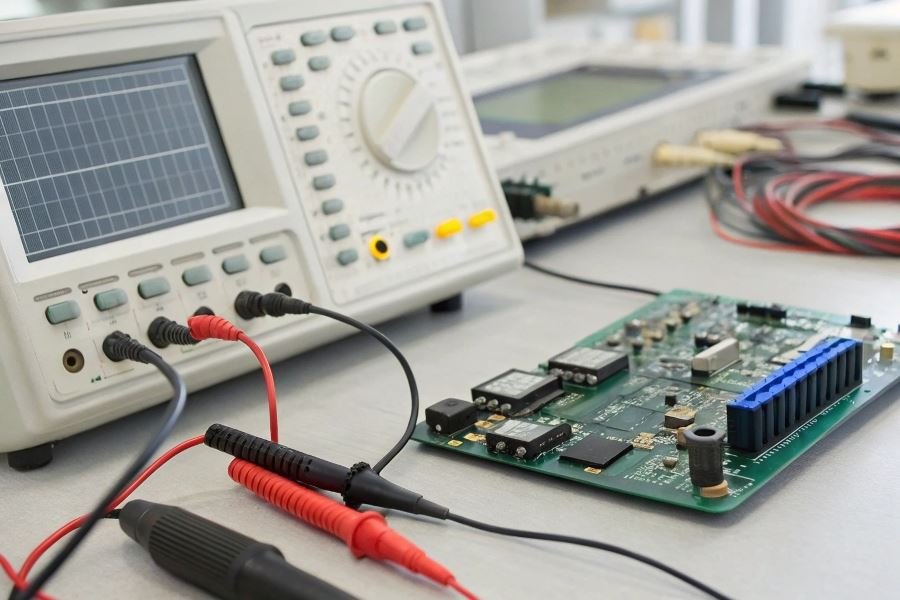
Ever picked up a soldering iron only to wonder if your circuit actually works? That moment—when you’ve connected everything but have no way to verify it—is precisely why testing equipment isn’t just helpful; it’s absolutely critical for anyone serious about electronics.
Testing equipment serves as both your safety net and your detective toolkit. Without proper testers, you’re essentially building in the dark—hoping connections work, guessing at voltage levels, and potentially damaging components (or worse, yourself). A good multimeter or oscilloscope doesn’t just confirm your circuit works; it tells you why when it doesn’t.
For beginners navigating the vast ocean of testing equipment, three features stand out as non-negotiable: reliability, ease of use, and appropriate measurement ranges. The best budget testers offer intuitive interfaces with clear displays, robust construction that survives inevitable drops, and measurement capabilities that match your projects. Look for devices with auto-ranging functionality—they automatically adjust to measure the correct range, eliminating guesswork that often frustrates newcomers.
“The right tester doesn’t just measure; it educates.”
When evaluating cost-to-functionality, consider the learning curve alongside the price tag. A $30 multimeter that you understand completely often provides more value than a $150 model with features you’ll never use. Start with tools that measure what you actually need: voltage, resistance, continuity, and perhaps current. As your skills grow, so can your testing arsenal.
Remember that the best investment isn’t always the cheapest option—it’s the one that grows with you while remaining accessible enough to use daily.
Budget Testing Arsenal for Electronics Beginners
Getting started in electronics doesn’t have to drain your bank account. The right testing equipment makes all the difference between frustration and discovery, and thankfully, manufacturers have recognized the need for affordable yet capable instruments. Budget testers for beginner electronics enthusiasts have evolved dramatically, with today’s entry-level models offering features that would have cost hundreds more just a decade ago.
Entry-level multimeters that punch above their weight
The multimeter is your electronics Swiss Army knife – measuring voltage, current, resistance and more. For under $50, several models deliver impressive performance:
Aneng AN8008 ($30-35) offers 9999 counts, true RMS measurement, and temperature sensing – specifications previously found only in professional models. Its auto-ranging feature eliminates the guesswork for beginners.
AstroAI WH5000A ($25-30) includes a bright backlit display and robust overload protection – critical safety features for newcomers.
Klein Tools MM400 ($45-49) brings industrial durability with CAT III safety rating and drop protection, making it ideal for those planning to grow beyond hobby projects.
Limitations to expect: Budget multimeters typically lack data logging capabilities, have slower sampling rates, and offer reduced accuracy compared to professional models (±0.5% vs ±0.1%).
Oscilloscopes that won’t oscillate your finances
Once mysterious instruments reserved for engineering labs, oscilloscopes have become remarkably affordable:
Hantek DSO5102P ($199) delivers dual-channel capability, 100MHz bandwidth, and 1GSa/s sample rate – specifications that would have cost $1000+ just years ago.
SainSmart DS213 ($120) offers pocket-sized convenience with 15MHz bandwidth and touchscreen operation – perfect for portable troubleshooting.
Rigol DS1054Z ($349) represents the gold standard in budget oscilloscopes with four channels, 50MHz bandwidth (hackable to 100MHz), and deep memory for complex signal analysis.
| Model | Channels | Bandwidth | Sample Rate | Price |
|---|---|---|---|---|
| Hantek DSO5102P | 2 | 100MHz | 1GSa/s | $199 |
| SainSmart DS213 | 2 | 15MHz | 100MSa/s | $120 |
| Rigol DS1054Z | 4 | 50MHz | 1GSa/s | $349 |
Logic analyzers that make digital debugging affordable
Digital circuits speak their own language, and logic analyzers translate it for you:
Saleae Logic 8 ($199) captures 8 channels at 100MHz with exceptional software support and protocol decoders for I2C, SPI, UART and more.
DreamSourceLab DSLogic Basic ($69) provides 16 channels at 100MHz in a compact package with open-source software support.
USB Logic Analyzer from SparkFun ($15) offers 8 channels at 24MHz – perfect for beginners debugging microcontroller projects and learning digital fundamentals.
Pro tip: Many budget logic analyzers use the same Cypress FX2 chipset but differ dramatically in software quality. Always check community support before purchasing.
These affordable instruments democratize electronics troubleshooting and learning. While they lack the precision and features of professional equipment, they provide the essential capabilities needed to build skills and complete meaningful projects. The best part? When you eventually upgrade, these budget tools remain valuable as secondary instruments or travel companions.
Making the Right Choice in Budget Testers for Electronics Enthusiasts
Finding your way through the maze of budget testing equipment doesn’t have to feel like deciphering an ancient circuit diagram. The right tester can transform your electronics hobby from frustrating to fulfilling—but how do you match your needs with the right tool without breaking the bank?
Match your tester to your project reality
The most expensive multimeter won’t help if it doesn’t address your specific challenges. Consider these project-to-tester matchups:
- Arduino and microcontroller projects benefit most from digital multimeters with continuity testing and basic voltage measurement
- Audio circuit builders should prioritize oscilloscopes (even basic ones) to visualize waveforms
- Power supply designers need current measurement capabilities and load testers
- Digital logic enthusiasts require logic analyzers or probes that can handle fast signals
The best tester isn’t the one with the most features—it’s the one that solves your specific problems.
When selecting your equipment, create a simple project requirements list. If you’re primarily building LED circuits and basic sensors, a $30 multimeter with voltage, resistance, and continuity testing might be all you need for months of successful projects.
The strategic upgrade path
Budget testing equipment doesn’t mean permanent limitations. Smart electronics enthusiasts follow a strategic upgrade path:
| Experience Level | Recommended Testing Equipment | Approximate Budget |
|---|---|---|
| Complete Beginner | Basic multimeter + breadboard | $40-60 |
| Intermediate | Digital multimeter + component tester | $80-120 |
| Advanced Hobbyist | Above + basic oscilloscope | $200-300 |
| Serious Enthusiast | Quality DMM + mid-range oscilloscope | $400-600 |
Rather than buying an expensive all-in-one solution immediately, consider modular growth. Start with a reliable Fluke 101 or Extech EX330 multimeter, then add specialized tools as your skills and projects demand them.
The most successful electronics enthusiasts don’t buy everything at once—they add tools when project frustrations reveal genuine needs.
When is it time to upgrade? Watch for these signals:
- You’re consistently hitting the limitations of your current equipment
- You’re spending more time troubleshooting your tester than your project
- You’ve mastered your current tools and understand exactly what additional capabilities you need
Learning resources that maximize your investment
Even budget testers contain features many hobbyists never fully utilize. Maximize your investment with these learning approaches:
Online Communities and Forums:
- EEVblog Forum offers specific advice on using test equipment
- r/AskElectronics provides troubleshooting help using basic equipment
Video Tutorials:
- Sparkfun offers excellent beginner tutorials on multimeter usage
- Adafruit provides project-based learning that incorporates testing techniques
Practical Exercises:
- Build a component tester from your multimeter
- Create a test circuit with known values to verify your measurements
- Practice troubleshooting deliberately “broken” circuits
The most valuable skill isn’t owning expensive equipment—it’s knowing how to extract maximum information from basic tools. Many professionals can diagnose complex problems with just a multimeter because they’ve mastered its capabilities.
Remember that budget testing equipment in knowledgeable hands will outperform expensive equipment used poorly. Invest time in learning before investing more money in upgrades.
Discover the best affordable testing equipment for electronics beginners with our comprehensive guide to multimeters, oscilloscopes, and logic analyzers under $50. Learn what features matter most for your projects and when to upgrade.
Discover the best affordable testing equipment for electronics beginners with our comprehensive guide to multimeters, oscilloscopes, and logic analyzers under $50. Learn what features matter most for your projects and when to upgrade.