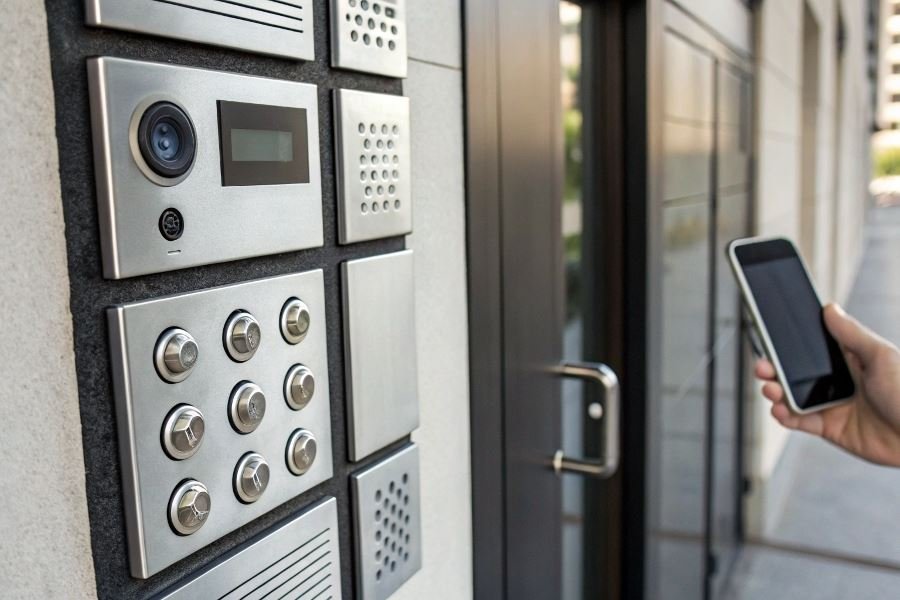
Ever stood outside your building in the rain because your intercom key stopped working? That frustration ends today.
Intercom systems have evolved from simple buzzers to sophisticated security networks, but one thing remains constant: the need for reliable access. Programming your own intercom key isn’t just about saving money—it’s about taking control of your security ecosystem with your own hands.
Understanding intercom system varieties
Intercom systems broadly fall into three categories, each with distinct programming approaches:
- Code-based systems: Typically found in older buildings, these require entering numeric sequences into the programming interface
- RFID systems: Modern and contactless, using radio frequency identification technology that requires key fob synchronization
- Smartphone-compatible systems: The newest generation, often requiring app-based programming protocols
The programming complexity varies significantly between manufacturers. Brands like Aiphone offer straightforward DIY programming, while BPT systems might require more technical expertise.
Essential tools for successful programming
Before beginning, gather these essentials:
| Basic Tools | Advanced Systems May Require |
|---|---|
| Small screwdriver set | Multimeter |
| Blank key fobs | Programming software |
| System manual | USB connector |
| Notepad for recording codes | Backup power source |
Pro tip: Always photograph your system’s current wiring configuration before making any changes.
Safety first: Preparation protocols
Programming intercom keys involves working with electrical components, so proper preparation is non-negotiable:
- Power considerations: Know how to safely disconnect power if necessary
- Backup existing codes: Document all current access credentials
- Test environment: Work in dry conditions with adequate lighting
- System verification: Ensure the system is functioning correctly before modifications
Remember that most modern systems include failsafe mechanisms to prevent accidental lockouts during programming—but always have a backup access method ready.
Mastering Intercom Key Programming: Your DIY Guide
Entering Programming Mode Like a Pro
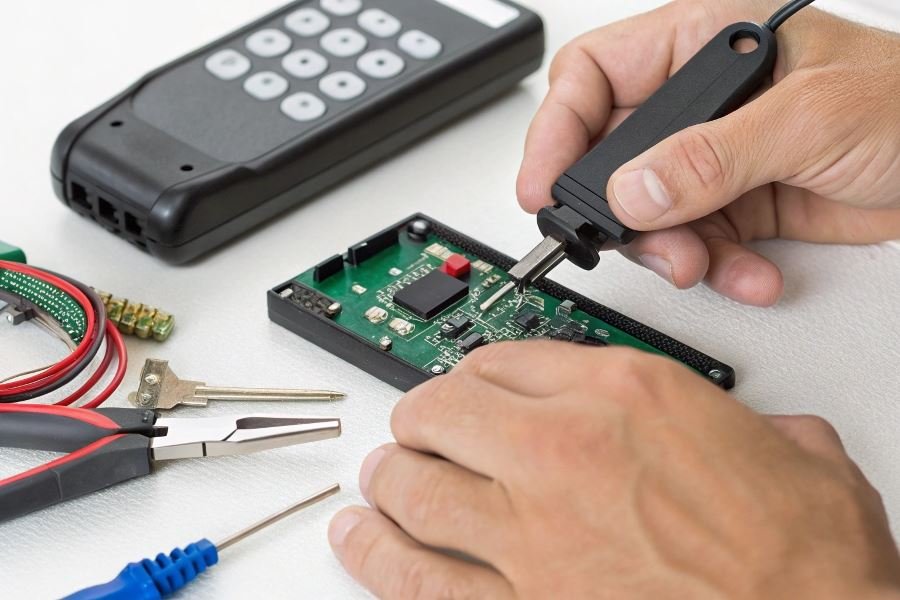
The gateway to successful intercom key programming begins with accessing the system’s programming mode. Most modern intercom systems require a master code or key to unlock this functionality. For systems like Aiphone or Linear, this typically involves pressing and holding a programming button for 3-5 seconds until you hear a confirmation beep or see an indicator light change from steady to flashing. Some higher-security models from Comelit require a specific sequence of button presses or a combination of holding multiple buttons simultaneously.
The ability to program a key for an intercom by yourself can save significant time and money compared to calling a technician for every access change. Whether you’re managing a small business entrance or your home security system, understanding the programming process empowers you to maintain complete control over who enters your space.
Pro tip: Before attempting to access programming mode, have your system manual ready. Manufacturers often hide programming sequences in specific sections of documentation to prevent unauthorized access.
RFID and Proximity Key Programming
RFID and proximity keys represent the most common modern intercom access methods. To program these:
- Enter programming mode as described above
- Navigate to the “Add New Key” or “Register Token” menu option
- When prompted, present the new key fob or card to the reader
- Assign a user name or number to the key for identification
- Save the configuration and exit programming mode
For HID proximity systems, you’ll need to maintain a minimum distance of 1-2 inches between the reader and the key during programming. Keri Systems readers often require you to present the key twice for confirmation, while Paxton systems typically need just one presentation followed by a confirmation button press.
Code-Based Access Programming
For keypads and code-based systems, the programming procedure follows a different path:
| Programming Step | Typical Sequence | Common Pitfall |
|---|---|---|
| Enter admin mode | Master code + # | Using regular user code |
| Select code slot | Press slot number (01-99) | Choosing an occupied slot |
| Enter new code | Input 4-6 digit code | Using sequential numbers |
| Confirm code | Re-enter code or press # | Rushing confirmation |
| Test access | Exit admin mode and try code | Forgetting to save changes |
DoorKing systems typically use a three-digit location code followed by a four-digit access code. Aiphone digital keypads often require you to press the * key before and after entering programming sequences. Always test your newly programmed codes immediately while you’re still on site.
Troubleshooting Programming Headaches
When programming doesn’t go as planned, systematic troubleshooting saves the day:
-
Power issues: Many programming failures stem from low voltage. Check your transformer output with a multimeter—most intercoms require a steady 12-16V supply.
-
Memory limitations: Systems like Mircom have finite memory slots (typically 100-250 keys). If programming fails, you may need to delete unused keys first.
-
Timing sensitivity: Some Siedle and Fermax systems have strict timing requirements during programming. If a sequence fails, try again with more deliberate timing between button presses.
-
Compatibility problems: Not all RFID formats work with all readers. Ensure your key fobs operate at the correct frequency (usually 125kHz or 13.56MHz) for your system.
-
Reset requirements: If all else fails, some systems like BPT include a factory reset option. Be warned: this erases all programmed keys and returns to default settings.
Remember that successful programming often requires patience and precision. Document each successful key addition in your own system log for future reference—this simple step can save hours of troubleshooting down the road.
Securing Your Space: Best Practices for Intercom Key Programming
Testing your newly programmed key
After programming your intercom key, thorough testing is non-negotiable. Don’t just check it once—test it multiple times under different conditions. Start with a standard entry test during daytime hours, then verify functionality during evening conditions when lighting may affect electronic sensors. Many intercom systems like Aiphone and Linear have specific LED indicators that confirm successful programming—watch for these confirmation signals.
Pro tip: Test your key from multiple angles and distances. Some proximity readers have “sweet spots” that require specific positioning for optimal performance.
If your key fails during testing, don’t panic. Most programming failures stem from:
- Incomplete programming sequence
- Battery issues in the programming unit
- Signal interference from nearby electronic devices
- Key fob damage or manufacturing defects
Always keep your original working key separate during testing to ensure you maintain access if something goes wrong.
Maintaining security records
Digital security begins with meticulous record-keeping. Create a dedicated spreadsheet or security log that tracks:
| Information to Record | Why It Matters |
|---|---|
| Key ID/Serial Number | Identifies specific key if lost |
| Date Programmed | Tracks key lifecycle |
| Access Level Assigned | Documents authorized areas |
| User Information | Links key to specific person |
| Programming Method Used | Helps troubleshoot future issues |
This documentation becomes invaluable during security audits or when investigating unauthorized access attempts. Many property managers use specialized software like KeyTrak to maintain these records, but a well-organized spreadsheet works effectively for smaller installations.
Security insight: Update your records immediately when programming new keys or deactivating old ones. This real-time documentation prevents security gaps that occur when record-keeping lags behind actual system changes.
When to call a professional
While DIY key programming can save money and time, certain scenarios warrant professional intervention:
-
System complexity exceeds your expertise – Enterprise-level systems with encryption or multi-factor authentication often require specialized knowledge.
-
Programming failures persist – If you’ve attempted programming multiple times without success, continuing could potentially damage your system.
-
Security breach recovery – After unauthorized access, professional security technicians can perform comprehensive system resets and vulnerability assessments.
-
Firmware or software updates required – Many modern intercoms need periodic updates that require professional tools and credentials.
The average service call for professional intercom programming costs between $75-150, which is significantly less than replacing a damaged system that costs $500-2,000.
Professional technicians from companies like ADT Commercial or Protection 1 bring specialized tools and diagnostic equipment that can identify underlying issues invisible to the average user. Their expertise often resolves problems in minutes that might take hours of frustrating DIY attempts.
Remember that security systems protect what matters most—your property and the people inside it. When in doubt, investing in professional assistance provides both technical solutions and peace of mind.
Learn how to program intercom keys yourself with our comprehensive DIY guide. Discover step-by-step instructions for RFID, proximity, and code-based systems, plus troubleshooting tips to ensure successful programming without professional help.
Learn how to program intercom keys yourself with our comprehensive DIY guide. Discover step-by-step instructions for RFID, proximity, and code-based systems, plus troubleshooting tips to ensure successful programming without professional help.