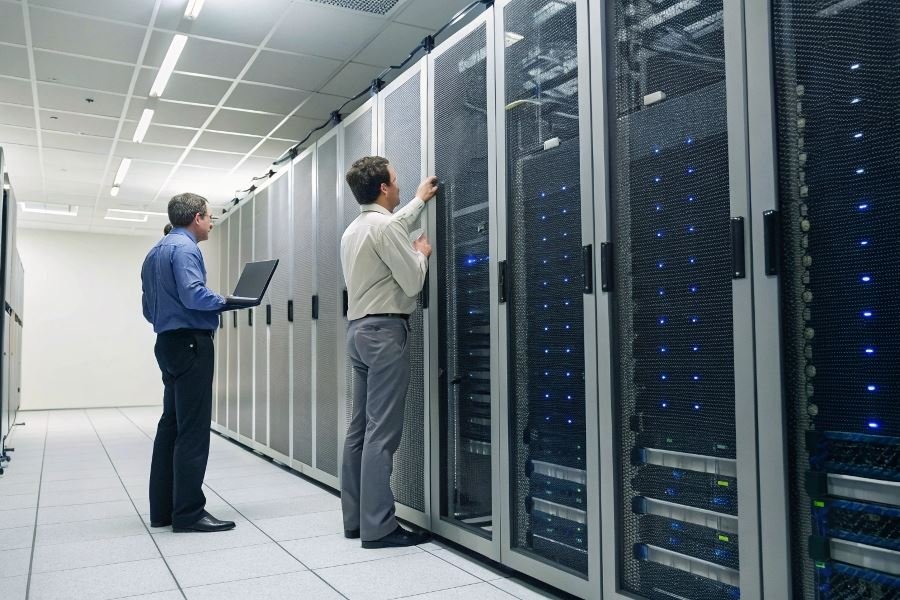
Ever walked into a server room and felt that distinct chill? It’s not just for your comfort—it’s the lifeline of your digital infrastructure. At 104°F (40°C), most servers begin to throttle performance; at 122°F (50°C), they risk permanent damage. The difference between optimal cooling and inadequate temperature management can cost businesses millions in equipment failure and downtime.
Server room cooling isn’t just about preventing meltdowns—it’s about maximizing efficiency, extending equipment lifespan, and ensuring consistent performance. When selecting cooling solutions for your data environment, you’re essentially choosing between reliability and risk.
The temperature-performance connection
Temperature fluctuations directly impact processing power. For every 18°F increase above optimal operating temperature, semiconductor reliability decreases by approximately 50%. Modern high-density server racks generating 20-30kW of heat require precision cooling strategies that balance effectiveness with energy consumption.
Cooling approaches: Finding your perfect match
Several cooling methodologies dominate the market:
- Air-based systems: From traditional CRAC (Computer Room Air Conditioning) units to hot/cold aisle containment
- Liquid cooling solutions: Including immersion cooling and direct-to-chip systems that offer 1,000× greater heat capacity than air
- Hybrid approaches: Combining technologies for optimized performance in mixed-density environments
Determining your cooling requirements
Your ideal cooling solution depends on several critical factors:
- Server density and heat output
- Room size and layout constraints
- Redundancy requirements
- Energy efficiency goals
- Budget parameters
- Future scalability needs
The most effective cooling strategy isn’t necessarily the most expensive—it’s the one precisely calibrated to your specific environment.
Technical Specifications That Make or Break Server Cooling
When evaluating server room coolers, the technical specifications aren’t just numbers on a spec sheet—they’re the difference between optimal performance and catastrophic failure. Selecting the right cooling solution requires understanding the precise requirements of your infrastructure and how different systems measure up against those needs.
The process of choosing appropriate cooling equipment for server environments demands careful consideration of multiple factors. Server room coolers: what to consider when choosing extends beyond basic cooling capacity to include energy consumption patterns, redundancy features, and long-term operational costs. These specifications directly impact both performance reliability and your bottom line.
Calculating Cooling Capacity: Beyond Basic BTUs
Cooling capacity represents the cornerstone specification of any server room cooling system. Measured in British Thermal Units (BTUs), this figure tells you exactly how much heat a unit can remove from your environment.
To calculate your BTU requirements:
- Add the wattage of all equipment in the server room
- Multiply by 3.41 (conversion factor from watts to BTUs)
- Add 25% for future expansion
- Factor in additional heat sources (lighting, personnel, solar gain)
Precision matters here. Undercalculating by even 10% can lead to equipment throttling during peak loads, while overcalculating by 30% means wasted capital and operational expenses.
| Server Room Size | Typical Equipment Load | Recommended Cooling Capacity |
|---|---|---|
| Small (100-300 sq ft) | 5-15 kW | 20,000-60,000 BTU |
| Medium (300-800 sq ft) | 15-30 kW | 60,000-120,000 BTU |
| Large (800+ sq ft) | 30+ kW | 120,000+ BTU |
Energy Efficiency: The Hidden Cost Multiplier
While initial purchase price often dominates decision-making, energy efficiency ratings determine the true cost of ownership for cooling systems.
The industry standard SEER (Seasonal Energy Efficiency Ratio) provides a baseline comparison between units. Modern high-efficiency systems achieve SEER ratings of 16-25, with each point potentially saving thousands in operational costs annually.
The difference between a SEER 14 and SEER 20 unit for a medium-sized server room can represent 4, 000−7,000 in annual energy savings.
When evaluating efficiency:
- Look for ENERGY STAR certification
- Compare EER (Energy Efficiency Ratio) for consistent loads
- Examine part-load efficiency (IPLV or IEER) for variable workloads
- Calculate PUE (Power Usage Effectiveness) impact
Redundancy Architecture: Planning for Failure
In mission-critical environments, cooling system failure isn’t an option. Redundancy features provide insurance against downtime and equipment damage.
N+1 redundancy represents the minimum standard for serious server environments—providing one additional cooling unit beyond what’s required for normal operation. More critical applications may demand 2N redundancy (complete system duplication) or 2N+1 configurations.
Key redundancy features to evaluate include:
- Automatic failover capabilities
- Independent power paths
- Dual refrigeration circuits
- Hot-swappable components
- Intelligent load-sharing algorithms
The most sophisticated Liebert cooling systems incorporate predictive analytics that can detect potential failures before they occur, automatically adjusting operation to compensate while alerting maintenance personnel.
Remember that redundancy without proper testing becomes merely theoretical protection. Implement regular failover testing to ensure your backup systems perform as expected when needed most.
Implementation Factors That Make or Break Server Cooling
Space and Installation Requirements
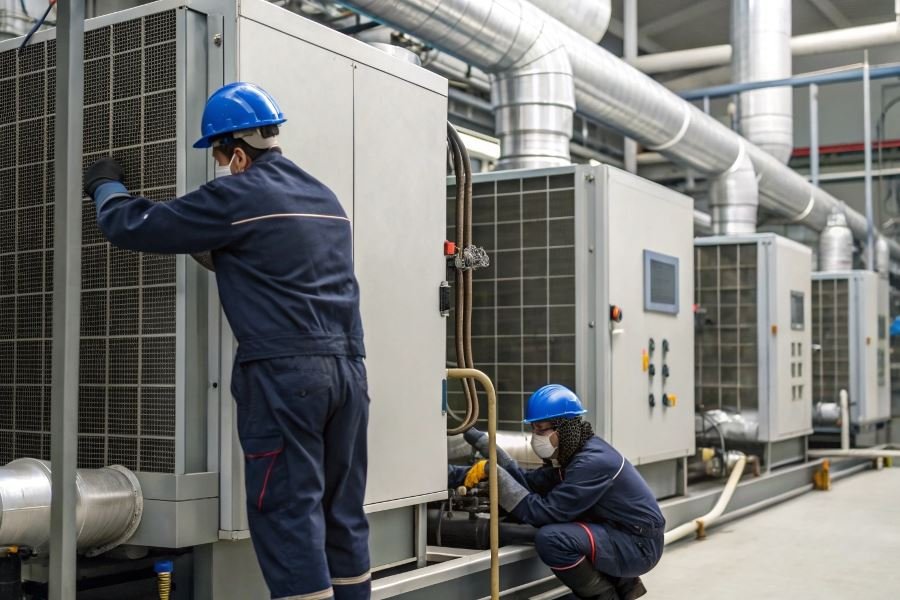
Server room cooling isn’t just about buying equipment—it’s about integrating complex systems into existing infrastructure. The physical footprint of cooling solutions varies dramatically: in-row coolers typically require just 12-24 inches of rack space, while computer room air conditioners (CRACs) might demand 30+ square feet of floor space.
Ceiling height matters more than you think. For overhead cooling systems, a minimum clearance of 24 inches is essential, with 36 inches being ideal for optimal airflow dynamics. Many facilities built before 2000 weren’t designed with modern cooling densities in mind, creating unexpected challenges.
Consider these spatial requirements:
| Cooling Solution | Floor Space Required | Minimum Ceiling Height | Installation Complexity |
|---|---|---|---|
| In-row coolers | 2-4 sq ft | N/A | Moderate |
| CRAC units | 30-50 sq ft | 9 ft | High |
| Rear door coolers | None (rack-mounted) | N/A | Low |
| Ceiling-mounted | None (overhead) | 10+ ft | Very High |
The most overlooked installation factor? Power requirements. Modern cooling systems can demand dedicated electrical circuits—sometimes 208V or even 480V three-phase power. This infrastructure upgrade alone can add weeks to implementation timelines.
Maintenance That Won’t Disrupt Operations
Maintenance isn’t just a cost—it’s a critical operational consideration. Different cooling technologies demand vastly different maintenance approaches.
Direct expansion (DX) systems typically require quarterly service visits for refrigerant checks, coil cleaning, and compressor inspections. Chilled water systems, while more efficient for large installations, demand monthly water quality testing and annual pump maintenance.
Accessibility is non-negotiable. A cooling unit requiring 36 inches of front clearance for filter changes becomes a liability when installed in a space-constrained environment. Smart facility managers are now designing maintenance corridors specifically for cooling infrastructure.
Maintenance considerations by cooling type:
- DX systems: Quarterly professional service, monthly filter changes
- Chilled water: Monthly water testing, annual pump service
- Evaporative cooling: Weekly water quality checks in hard water regions
- Immersion cooling: Annual fluid replacement, minimal regular maintenance
The maintenance sweet spot? Systems with front-serviceable components and remote monitoring capabilities from manufacturers like Vertiv or Schneider Electric that provide predictive failure analytics.
Scaling Your Cooling as Needs Evolve
The only constant in data centers is change. Today’s 5kW per rack might become 15kW within 18 months as computing demands increase.
Modular cooling designs have revolutionized scalability. Rather than oversizing from day one (and wasting energy for years), modular approaches allow incremental capacity additions. Systems from Stulz can start at 30kW and scale to 300kW in the same footprint.
Scalability considerations include:
- N+1 vs. 2N redundancy: How your redundancy strategy affects expansion
- Piping and distribution: Whether infrastructure supports additional cooling units
- Control system integration: Ensuring new units work with existing management systems
- Power infrastructure: Whether electrical systems can support additional cooling load
The scalability mistake that costs millions? Failing to consider the total cooling ecosystem. Adding capacity often requires upgrades to chillers, cooling towers, or even building water systems that weren’t factored into initial budgets.
The most forward-thinking implementations now include “cooling zones” with dedicated infrastructure that can support phased expansion without disrupting existing operations—a strategy that has saved companies like Microsoft and Google millions in their hyperscale deployments.
Discover essential factors for selecting optimal server room cooling systems. Learn about capacity requirements, energy efficiency, redundancy features, and implementation considerations to protect your critical IT infrastructure.
Discover essential factors for selecting optimal server room cooling systems. Learn about capacity requirements, energy efficiency, redundancy features, and implementation considerations to protect your critical IT infrastructure.