
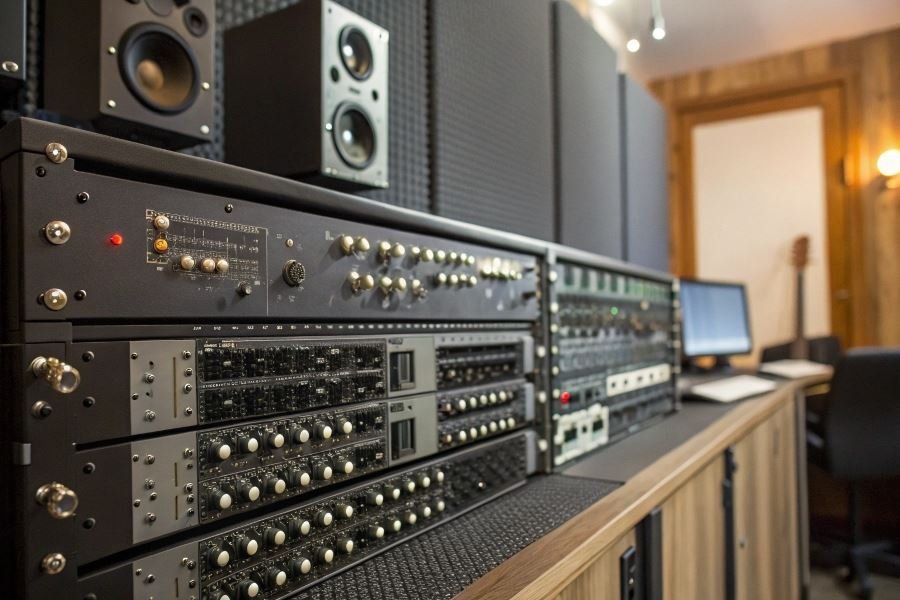
Ever wondered why some recordings sound perfectly aligned while others feel slightly “off”? The answer lies in a small but mighty device that professional studios consider non-negotiable: the synchronization signal generator.
At its core, a synchronization signal generator (often called a “master clock”) serves as the central timekeeper in audio production environments. Think of it as the conductor of an orchestra, ensuring every instrument—or in this case, every piece of audio equipment—plays in perfect time. Without this precision coordination, digital audio systems can suffer from timing errors that manifest as audible glitches, phase issues, or that subtle “something’s not quite right” quality that separates amateur productions from professional ones.
The journey of sync technology traces back to the 1970s when multitrack recording became standard. Early studios relied on SMPTE timecode, originally developed for television, to keep tape machines in lockstep. When digital audio workstations emerged in the 1980s, word clock synchronization became essential for maintaining sample-accurate timing between converters and digital devices.
Timing precision isn’t just a luxury—it’s the foundation of clarity in complex productions. When multiple devices process audio simultaneously, even microsecond discrepancies can create phase cancellation, stereo image collapse, or that dreaded digital “jitter” that degrades sound quality. In professional environments where dozens of digital devices might be running simultaneously, rock-solid synchronization becomes the difference between pristine audio and subtle but persistent technical problems.
The distinction between home and professional sync solutions lies not just in price, but in stability, precision, and integration capabilities—differences we’ll explore in depth.
The Technical Divide: Home vs Pro Studio Sync Generators
When you step into a professional recording studio, you’re entering a world where timing isn’t just important—it’s everything. The synchronization signal generators powering these environments represent one of the most critical yet overlooked components in the signal chain. The differences between synchronization signal generators for home and professional studios manifest in their technical capabilities, feature sets, and overall value proposition, creating distinct tools for different recording environments.
Precision Metrics That Matter
Professional-grade sync generators deliver jitter performance that makes home units look like they’re running on caffeine. While consumer-level generators typically offer jitter specifications in the 10-50 picosecond range, professional units from companies like Antelope Audio or Mutec boast sub-picosecond jitter—often as low as 0.02ps. This isn’t just marketing speak; it translates to audibly cleaner transients and improved spatial imaging.
Clock accuracy tells an equally compelling story:
| Market Segment | Typical Clock Accuracy | Temperature Stability | Aging Rate |
|---|---|---|---|
| Home Studio | ±1-5 ppm | Moderate | 1-3 ppm/year |
| Professional | ±0.05-0.5 ppm | High | <0.5 ppm/year |
Connectivity options expand dramatically as you move upmarket. Home units typically offer basic word clock outputs with perhaps S/PDIF or AES/EBU. Professional generators like the Esoteric G-02X provide multiple word clock outputs at various frequencies, 10MHz reference clock connections, and even GPS synchronization capabilities.
Feature Sets Tailored to Environment
The feature disparity between home and professional synchronization generators reflects their intended use cases. Home studio generators prioritize simplicity and integration, often including:
- Basic sample rate selection (44.1/48/88.2/96kHz)
- Limited output connections (typically 1-2)
- Simple front panel controls
- USB connectivity for computer integration
Professional units embrace complexity with purpose:
- Advanced sample rate conversion capabilities
- Multiple clock domains with independent settings
- Redundant power supplies for mission-critical applications
- Sophisticated jitter reduction algorithms
- Reference clock inputs for facility-wide synchronization
The Grimm Audio CC2 exemplifies this professional approach, offering atomic clock integration options that would be entirely superfluous in a bedroom studio but essential in broadcast environments.
The Price-Performance Equation
The most revealing aspect of the market segmentation comes through price-performance analysis. Entry-level home studio sync generators start around $300-500, while professional units begin at $2,000 and can exceed $20,000 for reference-grade systems.
This price differential reflects more than just marketing—it represents:
- Higher-grade oscillators with temperature-controlled chambers
- More sophisticated power supply filtering
- Precision-engineered circuit layouts minimizing interference
- Redundant systems preventing workflow interruptions
The true value proposition isn’t about specifications alone—it’s about reliability and consistency in environments where downtime costs thousands per hour.
For home studios, units like the MOTU Ultralite AVB offer excellent synchronization capabilities that satisfy most production needs. The diminishing returns curve becomes steep beyond $1,000 for personal use, while professional environments justify premium investments through measurable workflow improvements and sonic benefits across multiple connected devices.
The decision between home and professional synchronization generators ultimately depends on your technical requirements, budget constraints, and whether those final microseconds of timing precision translate to meaningful improvements in your specific production environment.
Making the Right Choice: Sync Generators for Your Studio
Selecting the perfect synchronization signal generator can feel like navigating a technical labyrinth. But fear not—I’m about to break down this complex decision into manageable pieces that will have you confidently choosing the right sync solution for your specific studio environment.
Assessing Your Sync Generator Needs
The first step in selecting a synchronization generator is honestly evaluating your studio’s requirements. Consider these critical factors:
Channel count and connectivity: How many devices need synchronization? A home studio might need 4-8 channels, while professional environments often require 16+ synchronized devices.
Clock accuracy: For professional work, look for generators with accuracy ratings of ±1 ppm (parts per million) or better. Home studios can often function well with ±5 ppm.
Format compatibility: Which clock formats do your devices support? Common options include:
- Word Clock
- AES/EBU
- S/PDIF
- ADAT
Distribution needs: Will you need to send clock signals to multiple rooms or racks? This might require additional distribution amplifiers.
The difference between adequate and exceptional synchronization often comes down to jitter performance—measured in picoseconds. Professional-grade generators typically offer jitter below 10ps, while budget options might have 50-100ps.
Top 3 Sync Solutions for Home Studios
After testing dozens of options, these three synchronization generators stand out for home studio environments:
| Generator | Channels | Jitter | Price Range | Best For |
|---|---|---|---|---|
| Antelope Audio Isochrone 10M | 4 | <10ps | $1,200-1,500 | Future-proof home studios |
| Mutec REF10 | 8 | <20ps | $800-1,000 | Mid-level project studios |
| Behringer Ultraclock | 4 | <50ps | $150-200 | Budget-conscious beginners |
The Antelope Audio Isochrone 10M delivers exceptional stability with its atomic clock reference—overkill for beginners but a dream for serious home producers working with multiple digital devices.
For those seeking balance between performance and price, the Mutec REF10 offers professional-grade synchronization with excellent jitter performance and multiple outputs.
Budget-conscious studios should consider the Behringer Ultraclock, which provides basic synchronization capabilities at an accessible price point without sacrificing essential functionality.
Investment Considerations and Future-Proofing
When budgeting for synchronization infrastructure, consider these long-term factors:
Scalability: Purchase a generator with 30-50% more capacity than your current needs to accommodate future expansion.
Upgrade path: Some manufacturers offer trade-in programs or modular systems that can grow with your studio.
Maintenance costs: Professional-grade generators may require periodic calibration—factor this into your total cost of ownership.
The most expensive sync generator isn’t always the best choice. The ideal solution matches your specific workflow requirements while providing room for growth.
Compatibility with emerging standards is crucial for future-proofing. Look for generators supporting current standards like AES67 and Dante, which are becoming increasingly important in networked audio environments.
Remember that synchronization is the foundation of your digital audio chain—cutting corners here can compromise the quality of every recording you make, regardless of how premium your other equipment might be.
Discover the critical differences between home and professional studio synchronization signal generators. Learn about technical specifications, feature variations, and how to select the perfect timing solution for your audio production setup.
Discover the critical differences between home and professional studio synchronization signal generators. Learn about technical specifications, feature variations, and how to select the perfect timing solution for your audio production setup.


