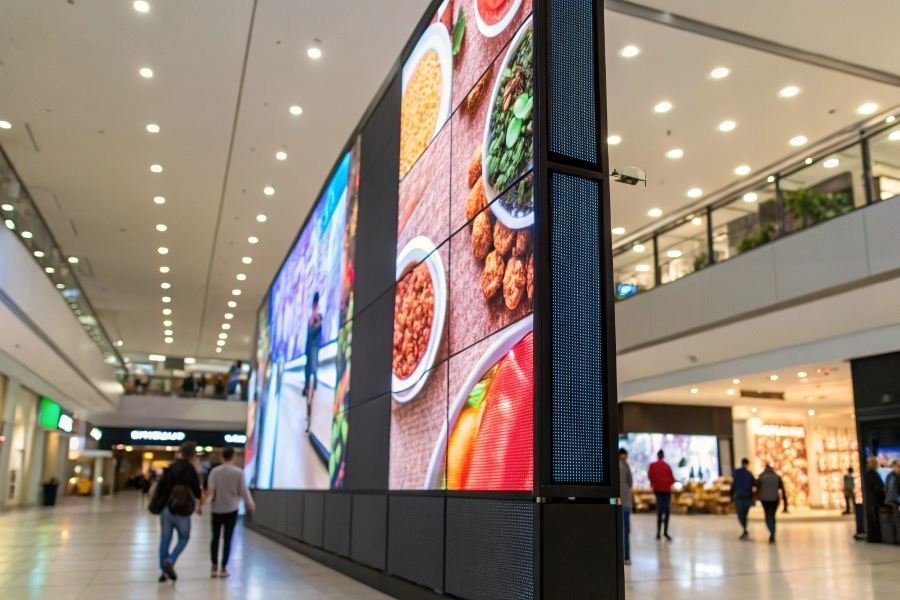
Ever noticed how a simple scrolling message can capture attention in ways static text simply can’t? That mesmerizing movement draws the eye and holds it—whether it’s stock tickers on financial networks, emergency alerts on highway signs, or promotional messages in store windows.
Scrolling text software refers to specialized digital tools designed to create, manage, and display text that moves across screens in predetermined patterns. These powerful applications transform ordinary messages into dynamic, attention-grabbing communications that serve countless purposes across industries. Unlike basic text editors, these specialized programs offer precise control over movement speed, direction, timing, and visual effects.
The applications are remarkably diverse. Retail businesses use scrolling displays for promotions and sales announcements. Public venues deploy them for wayfinding and event information. Emergency services utilize them for critical alerts. Digital signage networks depend on them for advertising and information distribution. Even houses of worship incorporate scrolling text for announcements and scripture displays.
What began as simple DOS-based utilities in the 1980s has evolved dramatically. Early scrolling text programs offered basic horizontal movement with limited formatting options. By the mid-1990s, Windows-based solutions introduced multiple scrolling directions and basic animation. The 2000s brought web-based scrolling text generators with cross-platform compatibility. Today’s advanced systems integrate with content management platforms, offering real-time updates, scheduling capabilities, and responsive design that adapts to any screen size.
The evolution continues as AI begins transforming these tools from simple text animators into intelligent communication systems that optimize message timing and presentation based on audience engagement metrics.
The Power Features Behind Scrolling Text Software
When selecting software for managing scrolling text, understanding the essential features can make the difference between a message that captivates and one that frustrates. The most effective scrolling text solutions combine flexibility, integration capabilities, and intuitive controls that empower users to create dynamic displays without technical headaches.
Customization: Beyond Basic Movement
The foundation of quality scrolling text software lies in its customization options. Software for managing scrolling text: what is important to know often begins with the basics of speed control and direction, but truly powerful solutions offer much more.
Speed variability isn’t just about fast or slow—it’s about precise control. Top-tier software allows for:
- Acceleration and deceleration effects
- Timed pauses at specific points
- Variable speeds within a single message
Direction options have evolved beyond simple left-to-right scrolling. Modern solutions support:
- Multi-directional movement (horizontal, vertical, diagonal)
- Bounce-back effects
- Path-based movement along custom trajectories
Visual effects transform ordinary text into attention-commanding displays. Look for software offering:
- Fade transitions
- Color cycling
- Size morphing
- 3D perspective shifts
Seamless Integration Capabilities
The days of standalone scrolling displays are behind us. Today’s environments demand connectivity across platforms and systems.
API accessibility has become non-negotiable for businesses using Zapier or custom automation workflows. This allows scrolling displays to update based on:
- Real-time data feeds
- Customer interaction triggers
- Inventory or pricing changes
Content management system compatibility ensures your scrolling text remains consistent with broader messaging. Leading solutions offer plugins for:
Hardware integration capabilities determine where and how your messages appear. Advanced software connects with:
| Display Type | Typical Applications | Key Integration Features |
|---|---|---|
| LED Signs | Storefronts, venues | Remote scheduling, emergency override |
| Digital Billboards | Outdoor advertising | Weather-triggered content, traffic-based timing |
| Kiosks | Retail, information centers | Touch interaction, proximity sensing |
User Experience: Implementation Without Frustration
The most feature-rich software becomes worthless if implementation creates bottlenecks or requires specialized skills.
Interface design separates professional solutions from amateur offerings. Evaluate software based on:
- Drag-and-drop functionality
- Visual preview capabilities
- Template availability and customization
- Logical grouping of related controls
Deployment flexibility determines how quickly you can move from concept to live display. Superior options provide:
- Code-free implementation paths
- Embed options for websites and applications
- Export capabilities for offline displays
Learning resources reflect a developer’s commitment to user success. The best scrolling text software includes:
- Interactive tutorials
- Video demonstrations
- Responsive support channels
- Community forums
When evaluating scrolling text management software, prioritize solutions that balance powerful customization with straightforward implementation. The right tool should feel like an extension of your creative vision rather than a technical obstacle to overcome.
Making Smart Scrolling Text Software Choices
When implementing scrolling text on your digital platforms, the software you select can make or break the user experience. Let’s dive into the three critical factors that separate exceptional scrolling text implementations from those that leave users frustrated and clicking away.
Performance that powers engagement
The performance impact of scrolling text solutions varies dramatically across platforms. High-quality scrolling text software minimizes CPU usage and memory consumption, ensuring your website or application maintains responsiveness even with dynamic text elements.
Key performance metrics to monitor:
- Frame rate stability (aim for consistent 60fps)
- Memory footprint (under 5MB for most implementations)
- CPU utilization (should remain below 10% on standard devices)
Many developers underestimate how poorly optimized scrolling text can create significant performance bottlenecks. For instance, jQuery marquee plugins often consume 3-4 times more resources than purpose-built solutions like GreenSock animation platform.
The difference between a smooth scrolling implementation and a janky one isn’t just aesthetic—it directly impacts user retention and conversion rates.
Performance optimization techniques include using requestAnimationFrame instead of setInterval, implementing GPU acceleration through CSS transforms, and employing virtual DOM techniques for complex scrolling content.
Cross-device harmony
The days of designing for a single screen size are long gone. Your scrolling text must perform flawlessly across devices ranging from 27-inch monitors to 5-inch smartphone screens.
Cross-device considerations include:
| Device Type | Typical Challenges | Solution Approach |
|---|---|---|
| Mobile | Limited screen real estate, touch interactions | Responsive sizing, touch-friendly controls |
| Tablet | Orientation changes, varied pixel densities | Fluid layouts, orientation event handling |
| Desktop | Wide viewports, hover capabilities | Leverage hover states, optimize for precision |
The most effective scrolling text solutions employ responsive design principles that automatically adjust speed, size, and interaction methods based on the viewing environment. Bootstrap provides excellent responsive frameworks that many scrolling text libraries integrate with seamlessly.
Accessibility as non-negotiable
Accessibility isn’t just about compliance—it’s about ensuring your content reaches everyone, regardless of ability.
Essential accessibility features include:
- Pause controls that respond to keyboard commands
- Screen reader compatibility with proper ARIA attributes
- Sufficient color contrast (minimum 4.5:1 ratio)
- Alternative static content for users who prefer non-moving text
The Web Content Accessibility Guidelines (WCAG) provide clear standards for making scrolling text accessible. Most notably, WCAG 2.1 requires that any moving content can be paused, stopped, or hidden by the user.
Implementing keyboard shortcuts (like spacebar to pause) and providing visible control buttons dramatically improves usability for people with motor or cognitive disabilities. The A11Y Project offers excellent resources for ensuring your scrolling text meets accessibility standards.
Implementation tip: Test your scrolling text with actual assistive technology users, not just automated checkers. Real-world feedback often reveals issues that automated tools miss.
By prioritizing performance optimization, cross-device compatibility, and accessibility compliance, you’ll create scrolling text implementations that enhance your digital presence rather than detract from it. The investment in quality scrolling text software pays dividends through improved user engagement, broader audience reach, and stronger brand perception.
Discover the essential features of top scrolling text software for digital displays and websites. Learn key selection criteria including customization options, performance optimization, and cross-device compatibility for professional-looking dynamic text displays.
Discover the essential features of top scrolling text software for digital displays and websites. Learn key selection criteria including customization options, performance optimization, and cross-device compatibility for professional-looking dynamic text displays.