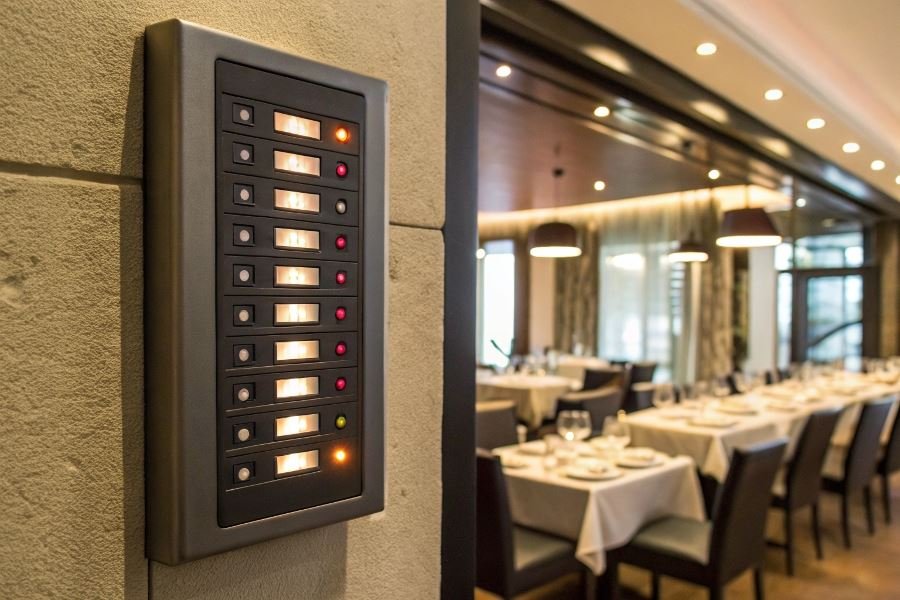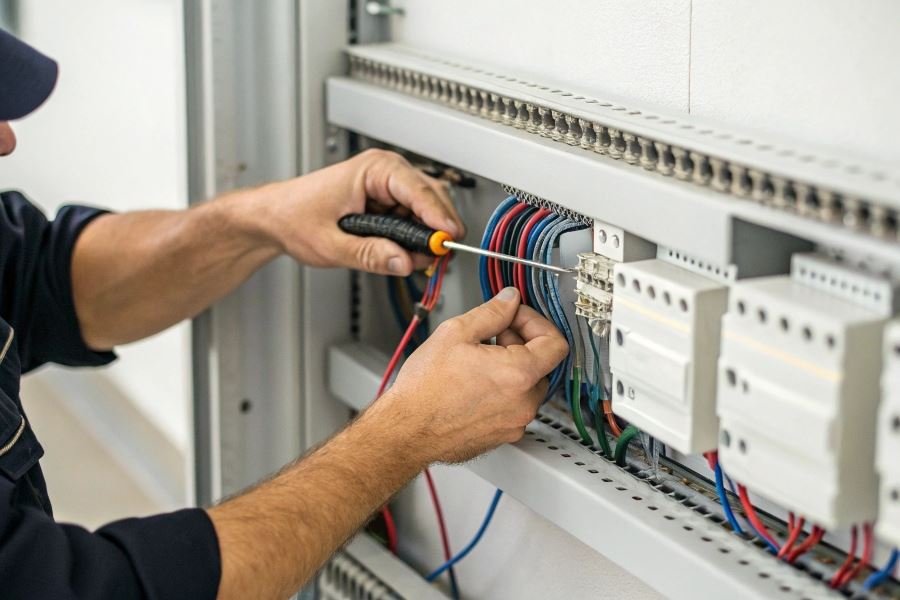
Ever watched restaurant staff communicate seamlessly during a rush, wondering how they coordinate so effortlessly? The secret lies in staff call systems—and installing one yourself is surprisingly straightforward, cost-effective, and immensely satisfying.
Staff call systems are specialized communication networks that enable instant notification between team members. At their core, these systems consist of three primary components: transmitters (buttons or panels that send signals), receivers (displays or pagers that alert staff), and a central control unit that manages the communication flow. Think of it as your business’s nervous system—simple in concept, yet transformative in practice.
Why tackle installation yourself? Beyond the obvious cost savings—typically $300-500 compared to professional installation—DIY installation offers unparalleled customization. You’ll understand your system intimately, allowing you to troubleshoot issues and expand the system as your business grows. Plus, there’s something deeply satisfying about pressing that first button and watching your creation spring to life.
Essential components for your DIY journey
To successfully install a staff call system, you’ll need:
- Basic tools: Screwdriver set, wire cutters/strippers, drill with bits
- Testing equipment: Multimeter, battery tester
- Installation materials: Low-voltage wiring (typically Cat5e/Cat6), mounting hardware, cable management supplies
- Safety gear: Gloves, safety glasses, voltage tester
Pro tip: Create a detailed floor plan before purchasing components. This simple step can save hours of frustration and prevent costly mistakes.
The beauty of modern staff call systems lies in their modularity—start small with basic functionality, then expand as your comfort level and business needs evolve. With wireless options now dominating the market, even complex installations have become remarkably accessible to the determined DIYer.
DIY Staff Call System Installation Guide
Mapping Your Communication Network
Before diving into wires and buttons, proper planning saves hours of frustration. Start by sketching your establishment’s floor plan, marking every location where staff might need assistance. Consider traffic patterns, noise levels, and visibility factors when positioning call points. The ideal staff call system layout balances accessibility for customers with practicality for your team.
Many business owners underestimate the importance of thoughtful configuration when learning how to install a staff call system by yourself. A well-designed system can reduce response times by up to 40% and significantly improve customer satisfaction scores. Think strategically about zones – perhaps your restaurant needs separate circuits for dining areas versus private rooms, or your retail space requires different alert tones for fitting rooms versus checkout areas.
Component inventory is non-negotiable. Before making the first connection, verify you have:
- Main control unit with power supply
- Sufficient transmitters/call buttons
- Receivers/display units
- Appropriate wiring (typically low-voltage)
- Mounting hardware
- Programming tools
Wiring The Brain Of Your System
The control unit serves as the central nervous system of your staff call network. Location selection requires balancing three factors: power availability, central positioning, and staff visibility.
Always mount your control unit at eye level in a location staff frequently pass. This seemingly small detail dramatically improves response rates compared to units tucked away in corners.
For wiring, follow this simplified approach:
- Cut power to the installation area
- Mount the control unit securely using provided brackets
- Connect primary power supply (typically 110V in the US)
- Install any backup power systems
- Label all incoming wires from transmitters with location identifiers
Pro tip: Create a dedicated circuit for your call system to prevent interference from other electronics that might cause phantom alerts.
When connecting multiple zones, consider this configuration table:
| Zone | Wire Color | Alert Type | Priority Level |
|---|---|---|---|
| Bar | Red | Audio + Visual | High |
| Dining | Blue | Visual Only | Medium |
| Patio | Green | Audio Only | Medium |
| VIP | Yellow | All Staff Alert | Highest |
Deploying Your Communication Points
Installing call buttons requires balancing aesthetics with functionality. Mount transmitters at consistent heights (typically 48 inches from the floor) to create a professional appearance while meeting ADA requirements.
Button placement psychology matters. Studies show customers are 30% more likely to use call systems when buttons are positioned within their natural line of sight rather than requiring them to search.
For wireless systems, test signal strength before permanent installation:
- Temporarily position receivers throughout your establishment
- Test each transmitter from its intended location
- Note any dead zones or interference areas
- Adjust receiver positions or add signal boosters as needed
Weatherproofing outdoor transmitters is essential. Apply silicone sealant around connection points and consider protective covers for buttons exposed to elements.
Finally, program distinct alert patterns for different zones or priority levels. Most modern systems allow customization through:
- Unique tones or melodies
- Visual indicators (different colors or flash patterns)
- Text displays identifying specific locations
- Escalation protocols for unanswered calls
With thoughtful planning, careful wiring, and strategic placement, your DIY staff call system will transform customer service efficiency while providing valuable metrics on response times and service patterns.
Troubleshooting and Perfecting Your DIY Staff Call System
When signals cross and buttons fail
Self-installed staff call systems occasionally develop hiccups that can frustrate even the most patient business owner. The most common issue? Signal interference. When your waitstaff presses a button and nothing happens, or worse—the wrong station receives the alert—you’re likely experiencing frequency overlap.
To fix this, first check if you’re using multiple wireless systems operating on the same frequency band. Modern systems like the Retekess T119 offer frequency hopping technology that automatically finds clear channels. For older systems, manually adjusting transmitter frequencies often resolves cross-talk issues.
Another frequent headache is dead zones where signals mysteriously vanish. This typically happens when transmitters and receivers face physical barriers like metal kitchen equipment or thick walls. The solution is straightforward: install signal repeaters at strategic locations to boost and relay signals through challenging environments.
Battery failures account for approximately 35% of all system malfunctions—yet they’re the easiest to prevent. Implement a weekly battery check protocol and keep spares on hand.
Testing beyond the basic beep
A properly functioning staff call system requires thorough testing beyond simply pressing buttons and hearing beeps. Create a comprehensive testing protocol that includes:
- Range testing: Have staff members walk to the furthest corners of your establishment while triggering calls
- Load testing: Simulate busy periods by activating multiple call points simultaneously
- Environmental testing: Test during peak kitchen hours when microwave ovens and other equipment might create interference
Document your results in a simple testing log:
| Test Type | Pass/Fail | Issues Identified | Resolution |
|---|---|---|---|
| Range Test | Pass | Weak signal in patio area | Added repeater |
| Load Test | Fail | System lag when 5+ calls active | Upgraded receiver |
| Environmental | Pass | Minor interference at 7PM | Adjusted frequency |
The most revealing test is the blind scenario test—have staff use the system during a mock service without telling them you’re evaluating performance. This real-world simulation exposes issues that controlled testing might miss.
Maintenance that prevents meltdowns
A staff call system that fails during your Saturday night rush can transform a smooth operation into chaos. Preventative maintenance is your shield against this nightmare scenario.
“The system you neglect today will neglect your staff tomorrow.”
Establish a quarterly maintenance routine that includes:
- Contact cleaning on all buttons and receivers using electronic-safe contact cleaner
- Firmware updates for digital systems (many owners skip this critical step)
- Battery replacement even if batteries seem functional
- Signal strength evaluation using the system’s built-in diagnostics
For wireless systems, frequency recalibration should happen bi-annually or whenever nearby businesses install new electronic equipment. Many restaurant owners don’t realize that a new POS system next door can disrupt their carefully tuned call system.
The most overlooked maintenance task? Documenting system configuration. When components eventually need replacement, having detailed notes about your specific setup saves hours of frustrating trial and error.
By addressing common issues proactively, testing thoroughly, and maintaining diligently, your self-installed staff call system will deliver the reliability your business demands—without the premium price tag of professional installation.
Learn how to install a staff call system yourself with our comprehensive DIY guide. From basic components to wiring, configuration, and troubleshooting tips, this step-by-step tutorial helps you set up an efficient communication system for your business.
Learn how to install a staff call system yourself with our comprehensive DIY guide. From basic components to wiring, configuration, and troubleshooting tips, this step-by-step tutorial helps you set up an efficient communication system for your business.