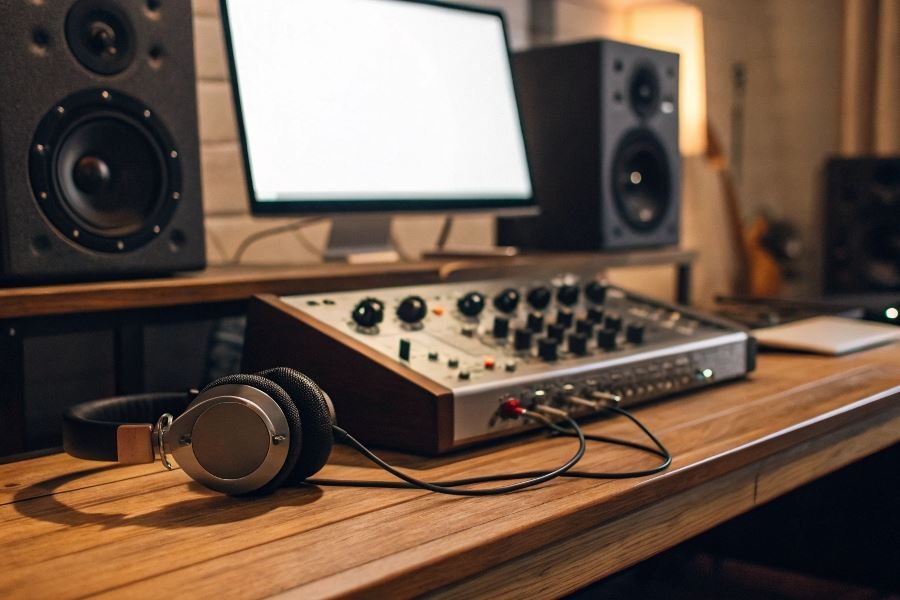

What if your audio interface could suddenly do twice as much? That’s not fantasy—it’s the reality of expansion cards, the unsung heroes transforming professional audio production across studios worldwide.
Expansion cards function as powerful add-ons that enhance your audio interface’s capabilities, similar to how graphics cards supercharge gaming computers. These specialized circuit boards plug directly into compatible audio interfaces, adding more inputs, outputs, processing power, or specialized connectivity options without requiring an entirely new system.
At their core, modern audio interfaces are sophisticated digital hubs designed with expansion in mind. Many professional-grade interfaces feature dedicated expansion slots, PCIe connections, or proprietary ports that allow them to grow alongside your studio needs. This modular architecture represents a fundamental shift in how audio professionals approach their gear investments—buy what you need now, expand later.
“The compatibility between your expansion card and audio interface isn’t just a technical detail—it’s the difference between transforming your workflow and owning an expensive paperweight.”
Before investing in expansion technology, proper compatibility assessment is absolutely critical. This goes beyond simple physical connections; you must consider protocol compatibility, power requirements, driver support, and whether your current interface’s internal architecture can fully utilize the expansion’s capabilities. Many studios have learned this lesson the hard way, purchasing cards that technically “fit” but deliver suboptimal performance or limited functionality.
The expansion ecosystem varies dramatically between manufacturers—from Avid’s HDX cards to Universal Audio’s UAD accelerators to MADI expansion options—each offering unique advantages when paired with the right interface.
The Technical Backbone of Audio Expansion
When building a professional audio setup, understanding the technical factors that determine whether expansion cards will work with your audio interface isn’t just helpful—it’s essential. The compatibility landscape between these components forms a complex ecosystem where small details can make or break your entire signal chain.
Connection Protocols: The Digital Handshake
The foundation of expansion card compatibility with various audio interfaces begins with their connection protocols. Each standard offers distinct advantages and limitations that directly impact performance and flexibility.
PCIe (Peripheral Component Interconnect Express) remains the gold standard for internal expansion cards, offering unparalleled bandwidth and near-zero latency. Modern PCIe 4.0 cards deliver up to 16 GT/s (gigatransfers per second)—critical when handling dozens of simultaneous audio streams. Cards like the Avid HDX leverage this protocol to process hundreds of tracks with DSP acceleration.
Thunderbolt connections have revolutionized external expansion options, particularly for mobile audio professionals needing desktop-class performance. Thunderbolt 3 and 4 interfaces like the Universal Audio Apollo x8 provide bidirectional bandwidth of 40Gbps, enabling substantial expansion capabilities through dedicated DSP accelerators.
USB interfaces (particularly USB 3.2) have democratized expansion options, though with bandwidth limitations compared to Thunderbolt. The Focusrite Scarlett series exemplifies how USB connectivity has made expansion more accessible, though careful consideration of bandwidth requirements remains crucial.
Power and Thermal Considerations
Expansion cards aren’t just data processors—they’re power consumers and heat generators that must work within your system’s constraints.
Power requirements vary dramatically between expansion solutions:
| Connection Type | Typical Power Draw | Max Power Available |
|---|---|---|
| PCIe (x1 slot) | 10-25W | Up to 75W |
| Thunderbolt 3/4 | 15-60W | Up to 100W |
| USB 3.2 Gen 2 | 5-15W | Up to 20W |
Thermal management becomes particularly critical in compact setups. High-performance DSP cards like the Universal Audio UAD-2 OCTO can generate significant heat, requiring adequate airflow to prevent thermal throttling that could manifest as audio dropouts or increased latency.
Software Compatibility: The Invisible Requirement
Perhaps the most overlooked aspect of expansion card compatibility lies in the software layer—drivers and firmware that enable hardware communication.
Driver architecture compatibility determines whether your expansion card will function at all. Modern audio interfaces typically require:
- OS-specific drivers (Windows often requiring ASIO support)
- Compatible driver frameworks (WDM, Core Audio)
- Matching bit architecture (64-bit vs. 32-bit)
Firmware update requirements create another potential compatibility hurdle. Many expansion cards require specific firmware versions on host interfaces. For example, the Antelope Audio Orion 32+ requires regular firmware updates to maintain compatibility with its expansion options.
Software control panels must also align across your ecosystem. Mismatched software versions between expansion cards and interfaces can result in recognition failures, even when hardware specifications suggest compatibility should exist.
The technical landscape of expansion card compatibility continues evolving rapidly, with manufacturers increasingly focusing on cross-platform solutions that reduce these compatibility hurdles. Understanding these foundational technical factors ensures your audio production environment remains stable, efficient, and ready for whatever creative challenges come next.
Maximizing Expansion Card Compatibility for Audio Excellence
Research before reaching for your wallet
The path to audio expansion nirvana begins with thorough compatibility research. Professional audio engineers don’t gamble with their setups—they investigate. Start by consulting the manufacturer’s compatibility charts for both your audio interface and potential expansion cards. These documents are gold mines of technical specifications that can save you thousands of dollars and countless headaches.
The Universal Audio Apollo series, for example, works seamlessly with UAD-2 DSP accelerator cards, but requires specific Thunderbolt versions depending on your model year. Similarly, Avid Pro Tools HDX systems demand precise matching between card generations and interface models.
Pro tip: Create a compatibility matrix before purchasing. Cross-reference these critical specifications:
| Specification | Why It Matters |
|---|---|
| Bus protocol (PCIe, Thunderbolt, USB) | Mismatched protocols mean instant incompatibility |
| Power requirements | Underpowered setups cause intermittent failures |
| Driver versions | Outdated drivers create mysterious conflicts |
| OS compatibility | Some cards support Windows but not macOS (or vice versa) |
| Available slots/ports | Physical space constraints can derail your setup |
Forums like Gearslutz and Sound on Sound often contain real-world compatibility reports that manufacturers won’t advertise. Search for your specific model combinations before committing.
When good gear refuses to cooperate
Even with careful planning, compatibility issues can arise. The most common problems have systematic solutions:
-
Driver conflicts: Always uninstall all related drivers before installing new hardware. Then install interface drivers first, followed by expansion card drivers. The Focusrite Scarlett series, for instance, requires specific driver installation sequences when paired with DSP cards.
-
Resource allocation battles: Some expansion cards fight for the same system resources. In Windows, use Device Manager to manually reassign IRQs and memory addresses. For Mac users, try different Thunderbolt ports or chains to resolve conflicts.
-
Firmware mismatches: Outdated firmware is the silent killer of compatibility. Create a regular firmware update schedule for all components in your signal chain.
-
Buffer settings wars: When expansion cards process audio alongside interfaces, buffer settings can clash. Start with higher buffer settings (512 samples minimum) during troubleshooting, then optimize downward.
Building for tomorrow’s audio demands
Future-proofing your audio setup requires strategic thinking about expansion pathways. The most forward-looking approach combines these elements:
-
Invest in modular systems: Platforms like MOTU AVB and RME MADIface offer expandable architectures that grow with standardized protocols.
-
Prioritize open standards: Proprietary expansion systems eventually die. Thunderbolt, USB-C, and PCIe have proven staying power and broad industry support.
-
Consider network audio expansion: Dante and AVB network audio protocols allow virtually unlimited expansion without traditional card limitations. Audinate’s Dante virtual soundcard can add hundreds of channels without physical cards.
-
Maintain headroom in core systems: Purchase interfaces with double the I/O you currently need, and computers with extra expansion slots and processing power.
The most expensive audio system is the one you have to replace entirely because you can’t expand it.
By approaching expansion card compatibility systematically, you’ll build a studio infrastructure that grows with your needs rather than fighting against them at every upgrade cycle.
Discover which expansion cards work with your audio interface setup. Our comprehensive guide covers connection protocols, power requirements, and compatibility factors to ensure optimal performance in your studio.
Discover which expansion cards work with your audio interface setup. Our comprehensive guide covers connection protocols, power requirements, and compatibility factors to ensure optimal performance in your studio.