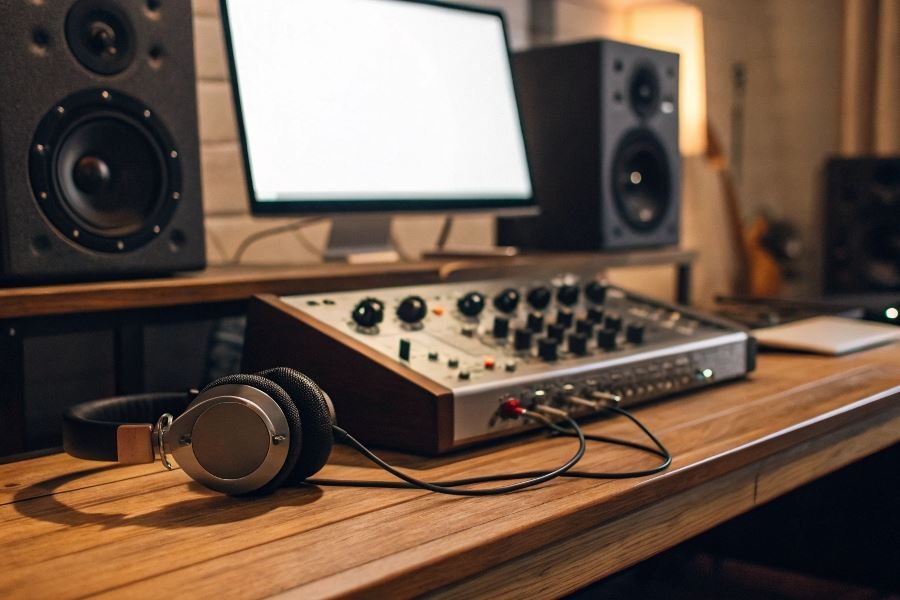

That pristine vocal take you just recorded? It could sound even better. The difference between good and extraordinary often lies in the processing power behind your digital audio workstation (DAW) – and that’s where expansion cards enter the picture.
Think of expansion cards as the unsung heroes of modern recording studios. These specialized hardware components plug into your computer or audio interface to dramatically enhance processing capabilities, add specialized inputs/outputs, or introduce unique audio processing features that your base system simply can’t handle alone.
When your latest project demands more from your setup – whether it’s running complex virtual instruments, processing dozens of simultaneous audio tracks, or achieving ultra-low latency monitoring – the right expansion card becomes not just helpful but essential. The expansion card you select directly impacts your studio’s sonic capabilities, workflow efficiency, and future scalability.
Today’s expansion landscape spans multiple technologies and interfaces. From PCIe cards that integrate directly with your computer’s motherboard to Thunderbolt expansion chassis, DSP accelerators, and specialized audio processing cards – each serves distinct purposes in the modern studio ecosystem. Some focus on offloading CPU-intensive tasks, while others add specialized I/O options or vintage hardware emulations.
“The expansion card is often the difference between a studio that merely functions and one that truly performs.”
Understanding these technologies isn’t just technical minutiae – it’s about finding the perfect extension of your creative vision and workflow needs.
Essential Factors for Expansion Card Selection in Recording Studios
When building or upgrading a recording studio, the expansion card serves as the critical bridge between your creative vision and technical reality. Professional audio engineers understand that selecting the right expansion card isn’t just about spending more—it’s about making informed decisions that align with your specific workflow and production needs.
The process of how to choose an expansion card for a recording studio requires balancing multiple technical considerations against your creative requirements. Think of your expansion card as the nervous system of your recording setup—it needs to communicate flawlessly with every other component while maintaining the integrity of your audio signal.
Compatibility: The Foundation of Your Setup
Compatibility issues can derail even the most expensive studio setup. Before purchasing, verify that your expansion card works with:
- Your computer’s motherboard architecture (PCIe slots, available lanes)
- Operating system version (Windows, macOS, Linux)
- Your Digital Audio Workstation software of choice
Many studios have faced costly downtime after discovering their new $1,500 expansion card isn’t recognized by their DAW or requires additional drivers.
Channel Count and I/O: Mapping Your Signal Flow
| Studio Type | Typical Channel Requirements | Recommended I/O Configuration |
|---|---|---|
| Home Studio | 2-8 channels | 2-4 inputs, 4-6 outputs |
| Project Studio | 8-16 channels | 8 inputs, 8-12 outputs |
| Professional | 16+ channels | 16+ inputs, 16+ outputs |
Assess your recording scenarios realistically. Will you be tracking a full drum kit (requiring 8+ simultaneous inputs) or primarily recording vocals and guitar (2-4 inputs)? Future-proof your setup by selecting a card with slightly more I/O than your current needs.
Protocol Selection: The Digital Highway
Your choice of protocol determines both performance and expandability:
- PCIe: Lowest latency, highest bandwidth, but requires internal installation
- Thunderbolt: Near PCIe performance with external convenience
- USB 3.0/3.1: Good performance, universal compatibility
- USB-C: Emerging standard with excellent bandwidth
The Universal Audio Apollo series demonstrates how protocol choice affects performance—their Thunderbolt models deliver near-zero latency monitoring that USB simply cannot match.
Latency Performance: The Invisible Barrier
Latency below 10ms is essential for real-time monitoring. Consider:
- Driver efficiency (ASIO for Windows, Core Audio for Mac)
- Buffer size flexibility (64-2048 samples)
- Direct monitoring capabilities
The difference between 3ms and 30ms of latency is the difference between a natural performance and a frustrated musician.
Resolution Specifications: The Audio Quality Ceiling
Your expansion card establishes the maximum quality potential of your recordings:
- Sample rates: 44.1kHz (CD quality) to 192kHz (high-resolution)
- Bit depth: 16-bit (consumer) to 32-bit float (professional)
- Dynamic range: Measured in dB, higher is better
The RME HDSPe AIO Pro offers 192kHz sampling with 24-bit resolution across all channels simultaneously—a benchmark for professional studios requiring maximum fidelity.
Remember that your expansion card represents a long-term investment in your studio’s capabilities. The right choice creates a foundation for creativity, while the wrong one becomes a bottleneck you’ll fight against with every recording session.
Expansion Card Categories That Transform Recording Studios
When building a professional recording setup, the right expansion cards can be the difference between good and extraordinary sound. These specialized components extend your system’s capabilities in ways that standalone gear often can’t match. Let’s explore the three essential categories that serious studio owners should consider.
DSP-based Cards: The Processing Powerhouses
DSP (Digital Signal Processing) expansion cards serve as dedicated audio processing engines that take computational strain off your computer’s CPU. This specialized hardware handles complex audio calculations with remarkable efficiency.
Universal Audio’s UAD platform stands as the gold standard in this category. Their UAD-2 PCIe cards deliver pristine emulations of classic analog gear, from vintage compressors to legendary EQs. The OCTO core models can run up to 128 plugin instances simultaneously—perfect for complex mixes.
The real magic happens when tracking with near-zero latency through UAD’s Console software, allowing artists to hear themselves through studio-quality effects without performance-killing delays.
Another heavyweight contender is Avid’s HDX system, which integrates seamlessly with Pro Tools and provides dedicated DSP for both mixing and recording workflows. For studios handling large orchestral sessions or post-production work, this level of processing power becomes essential rather than optional.
| DSP Card | Max Plugin Instances | Latency | Price Range |
|---|---|---|---|
| UAD-2 QUAD | 40-60 | <2ms | $800-1,000 |
| UAD-2 OCTO | 100-128 | <2ms | $1,200-1,800 |
| Avid HDX | 256+ | <1ms | $4,000-10,000 |
Audio Interface Expansion Cards: Connectivity Champions
When your I/O needs grow beyond what standard interfaces provide, expansion cards that add inputs and outputs become invaluable.
RME’s HDSPe series offers exceptional flexibility with cards like the HDSPe MADI, which provides up to 64 channels of digital I/O through a single connection. This makes it ideal for recording live performances or connecting multiple rooms in a facility.
For studios using the popular DANTE audio networking protocol, Focusrite’s RedNet PCIe cards enable seamless integration with networked audio systems. This allows for distributing audio across multiple rooms or buildings with minimal latency and maximum reliability.
The connectivity advantage becomes apparent when recording large ensembles. A single PCIe slot can provide access to 32, 64, or even 128 additional channels—far beyond what USB or Thunderbolt interfaces typically offer.
Specialized Expansion Cards: Unique Studio Solutions
Beyond processing and connectivity, specialized expansion cards address specific studio needs that can’t be met through software alone.
Lynx Studio Technology’s AES16e provides professional-grade digital audio connectivity with extremely precise clocking—essential for maintaining perfect synchronization in complex studio setups. The card’s jitter rejection capabilities ensure pristine audio quality even in challenging digital environments.
For studios working with legacy gear, MOTU’s 424 PCIe bridges the gap between modern computers and vintage ADAT equipment. This allows studios to preserve investments in older hardware while benefiting from current DAW capabilities.
Format conversion cards like SSL’s MadiXtreme solve complex routing challenges by connecting disparate systems that speak different digital languages. This becomes particularly valuable in hybrid analog/digital studios or facilities that need to accommodate various client requirements.
The right expansion card strategy depends entirely on your studio’s specific workflow and growth trajectory. By understanding these three categories, you can make targeted investments that enhance capabilities without unnecessary overlap or wasted resources.
Discover how to select the perfect expansion card for your recording studio with our comprehensive guide. Learn about compatibility, channel count, latency, and protocols to maximize audio quality and workflow efficiency in your production setup.
Discover how to select the perfect expansion card for your recording studio with our comprehensive guide. Learn about compatibility, channel count, latency, and protocols to maximize audio quality and workflow efficiency in your production setup.